
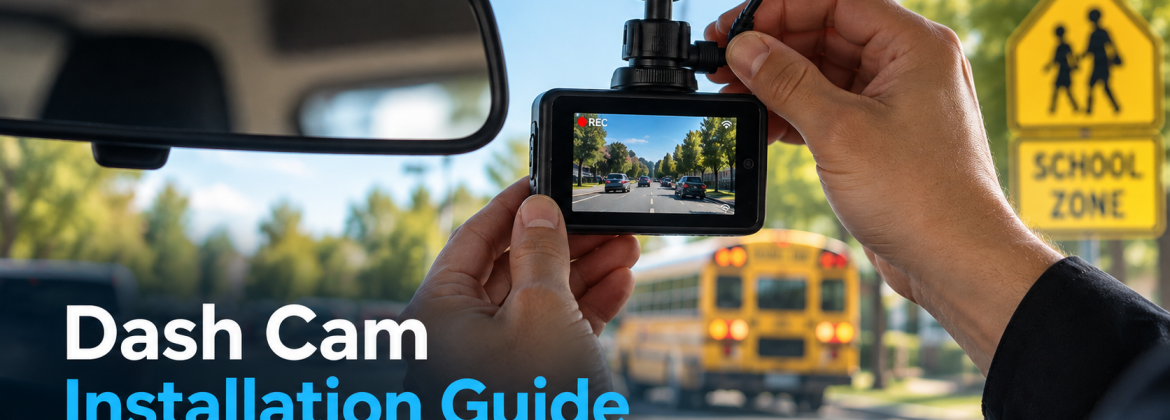
With school back in session and traffic patterns shifting around drop-off times, crosswalks, and school zones, this dash cam installation guide explains what Hayward drivers should know before choosing and installing a dash camera. A properly installed dash cam can provide valuable documentation during traffic incidents, parking accidents, and insurance disputes, while the right setup can improve recording reliability and everyday vehicle protection.
This article covers what a dash cam actually records, how front and front-and-rear systems compare, why parking mode matters, and why professional installation makes a real difference in reliability. For a look at dash cam options available locally, visit the Dash Cam Sales & Installation page.
Why Back-to-School Driving Increases the Need for a Dash Cam
Back-to-school season brings a noticeable shift in daily traffic patterns. School zones see heavier congestion during drop-off and pickup times, more pedestrians and cyclists are present near crosswalks, and buses make frequent stops that other drivers need to react to quickly.
This combination of factors increases the chance of a minor fender bender, a close call at a crosswalk, or a dispute over who had the right of way at a busy intersection. A dash cam does not prevent these situations from happening, but it does provide an objective record of what occurred, which can be valuable if there is ever a disagreement about fault or a need to document an incident for insurance purposes.
Is Your Dash Cam Really Protecting You?
A dash cam is only useful when it is recording reliably, has the right coverage, and is properly powered. If you are unsure whether your current setup supports parking mode, hardwired recording, front and rear coverage, or proper battery protection, speak with the Audiomobile Hayward team before you invest in a new system.
Call Audiomobile Hayward at +1 510-930-0881 to discuss your dash cam installation options and find the right setup for your vehicle.
What Does a Dash Cam Record?
At its core, a dash cam is a small camera mounted inside the vehicle, typically near the rearview mirror, that continuously records video of the road while the vehicle is being driven.
Most dash cams record in a continuous loop, meaning the camera keeps recording and automatically overwrites older footage once the memory card fills up, unless specific footage is saved separately. Many modern dash cams also include audio recording, GPS location data, and timestamp information alongside the video itself. Depending on the model, footage may include speed data or route information, which can add useful context if a recording is ever needed for an insurance claim or incident report.
Front vs. Front-and-Rear Dash Cameras
One of the first decisions drivers face is whether to install a single front-facing camera or a front-and-rear dash camera setup.
A front-facing dash cam records the view through the windshield, capturing what happens ahead of the vehicle, which covers the majority of common incidents like rear-end collisions where you are the front vehicle or disputes at intersections.
A front-and-rear dash cam adds a second camera, typically mounted near the rear window, which records what happens behind the vehicle as well. This is particularly useful for documenting incidents where another vehicle rear-ends you, or for capturing what happens during reversing or parking situations.
Front-only setups are generally simpler and less expensive to install, while front-and-rear systems provide more complete coverage, which some drivers consider worth the additional investment depending on their driving habits and parking situations.
Why Parking Mode Matters
Parking mode is a feature that allows a dash cam to continue monitoring the vehicle even after it has been turned off and parked, which is particularly relevant for anyone who parks on the street or in shared lots around Hayward and the surrounding area.
When parking mode is active, the dash cam typically uses motion or impact detection to trigger recording if something happens near the vehicle, such as another car bumping it in a parking lot or someone tampering with the vehicle. This feature usually requires the dash cam to draw power from the vehicle’s battery while parked, which is why proper installation matters. An improperly wired parking mode setup can draw more power than intended, potentially affecting your vehicle’s battery, which is one of the reasons professional installation is worth considering for this specific feature.
Dash Cam Features Worth Paying For
Not every dash cam feature adds meaningful value for every driver, but a few tend to be worth the additional cost for most people.
- Higher resolution recording, which makes footage clearer and license plates more readable if needed later.
- Wide dynamic range, which helps the camera handle bright sunlight and dark shadows without losing detail.
- Parking mode with impact detection, particularly valuable for street parking or shared lots.
- GPS logging, which adds location and speed data to recorded footage.
- Reliable loop recording with event protection, which automatically saves footage from sudden stops or impacts so it is not overwritten.
Features like voice control or smartphone app connectivity can be convenient but are less critical to the core function of documenting what happens on the road.
When comparing dash cam models, it is worth prioritizing the features that directly affect how usable the footage is if you ever need it. A camera with excellent app connectivity but poor low-light performance is less useful than a simpler model that reliably captures clear footage in a range of lighting conditions, particularly for evening commutes or overcast Bay Area mornings.
Hardwired vs. Plug-In Dash Cam Installation
Dash cams can generally be powered in one of two ways, and the choice affects both appearance and functionality.
Plug-in installation typically uses the vehicle’s cigarette lighter or accessory outlet for power, which is simpler to install but means the camera generally only records while the vehicle is running, unless a separate battery pack is used.
Hardwired dash cam installation connects the camera directly to the vehicle’s fuse box, which allows for a cleaner appearance with wiring tucked away, and makes features like parking mode possible since the camera can draw a small amount of power even when the vehicle is off.
Hardwiring is generally considered the better option for drivers who want parking mode functionality or a more finished installation, though it requires more technical work than a simple plug-in setup.
How Professional Installation Prevents Wiring & Battery Issues
Improper dash cam wiring is one of the more common issues drivers run into with self-installed systems, particularly with hardwired setups.
A professional installer knows how to route wiring cleanly behind trim panels, connect to an appropriate fuse circuit, and, when parking mode is involved, set up a low-voltage cutoff that prevents the dash cam from draining the vehicle’s battery while parked. Without this kind of cutoff, a hardwired dash cam left in parking mode for an extended period can leave a vehicle with a dead battery. Professional installation also reduces the risk of a loose connection or exposed wiring, which can be both a safety concern and, over time, a source of electrical issues elsewhere in the vehicle. You can learn more about the technicians who handle this work on the Our Team page.
Dash Cams for Families, Commuters & Commercial Vehicles
Different types of drivers tend to value different aspects of a dash cam setup, which is worth considering when choosing a system.
Families often prioritize documentation around school zones, carpool lanes, and general peace of mind while a family member is driving, particularly for newer or younger drivers. Daily commuters frequently value dash cams for freeway driving and unpredictable traffic, where a sudden stop or lane change dispute is more common. Commercial vehicles, including work trucks and delivery vehicles, often benefit from front-and-rear coverage and parking mode, since these vehicles spend more time parked in a variety of locations throughout the day.
Thinking about your specific driving pattern, rather than choosing the most feature-heavy option by default, generally leads to a setup that better matches your actual needs.
Dash Cam Installation for Hayward, Fremont & San Jose Drivers
Drivers across Hayward, Fremont, and San Jose deal with a mix of freeway commuting, dense city driving, and frequent street parking, all of which are relevant when thinking about dash cam setup.
Freeway commuters moving between cities in the Bay Area may place more value on high-resolution front recording to document highway incidents clearly. Drivers who frequently park on city streets may lean more toward a system with strong parking mode functionality. Local driving patterns are worth discussing with your installer, since they can help determine which combination of features and camera placement makes the most sense for how you actually use your vehicle day to day. Someone who splits their week between a downtown Hayward office and freeway trips toward San Jose has different priorities than a driver who mostly sticks to shorter local errands, and talking through your actual routine tends to produce a more useful setup than defaulting to the most expensive available option. You can browse the Audiomobile Hayward home page for the shop’s full range of vehicle electronics services.
How to Choose the Right Dash Cam Setup
Choosing the right dash cam setup starts with thinking honestly about how you drive and where you typically park, rather than simply choosing the highest-rated product online.
Consider whether front-only coverage meets your needs or whether front-and-rear recording would add meaningful value based on your driving and parking habits. Decide whether parking mode is a priority, since this affects whether hardwired installation makes sense for your situation. Factor in your budget, since resolution, additional cameras, and features like GPS logging all affect the overall cost, and it is worth reviewing available financing options for a more feature-heavy setup. A consultation with an experienced installer can help match a specific dash cam model and installation approach to your vehicle and driving habits, rather than guessing based on generic online reviews.
Frequently Asked Questions
How much does dash cam installation cost?
Cost depends on the specific dash cam model, whether you choose a front-only or front-and-rear system, and whether a hardwired installation with parking mode is included. A consultation can provide an accurate estimate.
Is professional dash cam installation worth it?
For most drivers, yes, particularly for hardwired setups with parking mode, since professional installation reduces the risk of wiring issues and battery drain that can come with a self-installed system.
Can a dash cam drain my car battery?
A dash cam running in parking mode can draw power from the battery while the vehicle is off. Professional installation typically includes a low-voltage cutoff to help prevent this from draining the battery.
Is hardwiring a dash cam better?
Hardwiring generally provides a cleaner installation and enables parking mode functionality, making it a better option for drivers who want continuous monitoring, though it requires more technical installation work than a plug-in setup.
Is parking mode worth having?
For drivers who frequently park on the street or in shared lots, parking mode can be valuable for documenting incidents that happen while the vehicle is unattended.
Should I get a front and rear dash cam?
This depends on your driving habits. A front-and-rear system provides more complete coverage, which can be worth the additional cost for drivers concerned about rear-end collisions or parking incidents.
Can a dash cam be installed in any vehicle?
Most dash cams can be installed in most vehicles, though installation details, particularly for hardwired setups, can vary depending on the vehicle’s electrical layout and interior design.
How long does dash cam installation take?
Installation time varies depending on whether it is a simple plug-in setup or a hardwired system with parking mode, as well as whether a front-and-rear configuration is being installed.
Where should a dash cam be mounted?
Dash cams are typically mounted near the rearview mirror for a clear forward view without significantly obstructing the driver’s line of sight, with rear cameras usually mounted near the rear window.
How much storage does a dash cam need?
Storage needs depend on recording resolution and how much footage you want retained before older recordings are overwritten in the loop recording cycle. Higher resolution generally requires a larger memory card.
Document the Road Ahead With a Properly Installed Dash Cam
A dash cam is only as reliable as its installation, particularly when it comes to parking mode and hardwired setups where wiring and battery management matter most. Audiomobile Hayward’s team can help you choose the right dash cam for your vehicle and driving habits and install it correctly from the start. Contact Audiomobile Hayward to schedule a consultation.
Stay Connected With Audiomobile Hayward
Want to see more car audio upgrades, vehicle security solutions, dash cam installations, CarPlay upgrades, and automotive electronics projects from Audiomobile Hayward? Follow us on social media for service updates, vehicle upgrade ideas, and more automotive electronics content.
Follow Audiomobile Hayward:
Ready for a More Reliable Dash Cam Setup?
Do not leave your vehicle protection to loose wiring, poor camera placement, or an unreliable power connection. Audiomobile Hayward can help you choose and professionally install the right dash cam system, including hardwired setups, parking mode, and front-and-rear camera configurations.
Call +1 510-930-0881 today to schedule your professional dash cam installation consultation.
David Trinh