
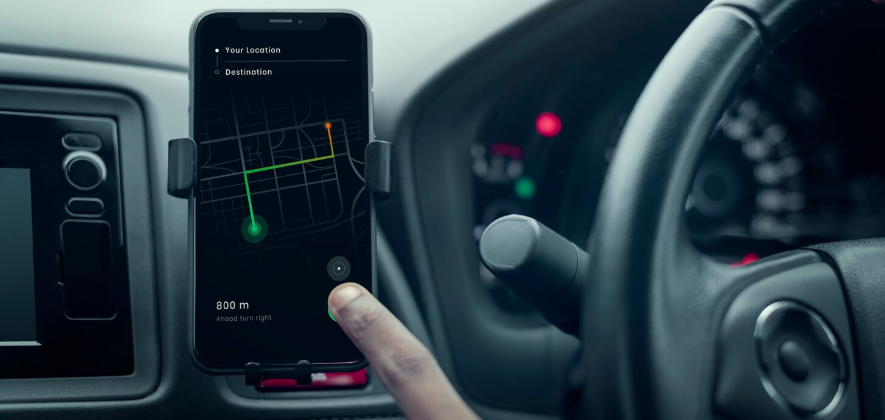
Apple CarPlay Installation Hayward has quickly become one of the most popular upgrades for drivers looking to modernize older vehicles without replacing them. Many cars on the road today still rely on outdated factory systems that lack navigation, smartphone connectivity, and hands-free functionality. This becomes especially frustrating in a place like Hayward, where traffic conditions change quickly, and drivers rely heavily on real-time directions and communication.
Call +1 510-839-1992 to book your appointment now!
If you’ve ever struggled with using your phone for navigation while driving, dealing with outdated radio systems, or missing important calls because your car does not support hands-free features, you are not alone. This is exactly why more drivers across Hayward and the Bay Area are upgrading to Apple CarPlay.
With a properly installed system, your vehicle’s dashboard transforms into a smart interface that allows you to:
- Use real-time navigation apps like Apple Maps or Google Maps
- Make and receive calls safely
- Send and listen to messages using voice commands
- Stream music, podcasts, and apps directly from your phone
For drivers who plan to keep their vehicles for several more years, this upgrade delivers daily value without the cost of buying a new car.
If you are considering upgrading your vehicle, you can explore Apple CarPlay installation in Hayward to understand available options and compatibility.
Why Older Cars in Hayward Are Getting Apple CarPlay Upgrades in 2026
In 2026, more drivers in Hayward are choosing to upgrade their existing vehicles instead of replacing them. With rising vehicle costs and long wait times for new cars, upgrading technology inside your current car has become a smarter and more practical decision.
One of the biggest limitations in older vehicles is the infotainment system. Many cars manufactured before 2016 were not designed for modern smartphone integration. As a result, drivers often deal with:
- No built-in navigation or outdated GPS systems
- Limited or no Bluetooth functionality
- No support for voice commands
- Distracting phone use while driving
These limitations become even more noticeable in daily driving conditions across the Bay Area. Whether you are commuting through Hayward, heading toward Oakland, or navigating traffic on I-880, having access to real-time navigation and hands-free communication is no longer optional.
This is where Apple CarPlay becomes a practical upgrade.
Instead of relying on outdated factory systems, CarPlay allows your vehicle to use your smartphone’s interface directly on the dashboard. This means you always have access to updated maps, contacts, music, and apps without needing to upgrade your entire vehicle.
Another reason this upgrade is gaining popularity is its flexibility. Many older cars can now support modern systems through aftermarket solutions. This allows drivers to improve their driving experience without dealing with the cost and complexity of buying a new car.
If you are already considering upgrading your vehicle’s technology, it is also worth understanding how modern infotainment systems compare to factory setups. This guide on factory integration vs full system replacement explains how different upgrade approaches work and what to expect.
For many Hayward drivers, the decision comes down to value. Instead of investing in a new vehicle, upgrading to Apple CarPlay provides:
- Better functionality for everyday driving
- Improved safety through hands-free operation
- Access to real-time navigation and traffic updates
- A more modern driving experience overall
This is why Apple CarPlay installation is not just a trend. It has become a practical solution for drivers who want to bring their older vehicles up to current standards.
What Apple CarPlay Actually Does (And Why It Changes Your Driving Experience)
At a basic level, Apple CarPlay connects your iPhone to your car’s display. But in real-world driving, it does much more than that.
Instead of relying on an outdated factory system, Apple CarPlay turns your dashboard into a familiar, easy-to-use interface that mirrors key functions from your phone. This allows you to stay connected without needing to handle your device while driving.
One of the biggest advantages of Apple CarPlay is navigation.
With CarPlay, you can use the following:
- Apple Maps
- Google Maps
- Waze
These apps provide:
- Live traffic updates
- Alternate route suggestions
- Accident and road condition alerts
For Hayward drivers dealing with I-880 congestion, bridge traffic, or city detours, this makes a noticeable difference in daily commute time.
🔹 Hands-Free Calling and Messaging
Using your phone while driving is not only unsafe but also illegal in California.
Apple CarPlay allows you to:
- Make and receive calls using voice commands
- Listen to incoming messages
- Reply using Siri without touching your phone
This keeps your focus on the road while staying connected.
🔹 Music, Podcasts, and Entertainment Integration
Instead of switching between apps on your phone, CarPlay brings everything to your dashboard.
You can access:
- Apple Music
- Spotify
- Podcasts
- Audiobooks
Everything is controlled through the touchscreen or voice, making long drives and daily commutes more enjoyable.
🔹 Voice Control with Siri
One of the most useful features is voice control.
With Siri, you can:
- Ask for directions
- Send messages
- Play music
- Check reminders
This reduces distractions and makes driving safer.
🔹 Clean and Simple Interface
Older factory systems are often slow and difficult to use.
Apple CarPlay offers:
- Fast response
- Simple layout
- Easy navigation between apps
This improves usability, especially for drivers who are not comfortable with complex menus.
🔹 Works Seamlessly with Modern Upgrades
Apple CarPlay is not a standalone upgrade. It works well with other vehicle enhancements.
For example:
- It can integrate with upgraded audio systems
- It supports backup camera displays
- It works alongside steering wheel controls
If you are planning a full upgrade, combining CarPlay with a car stereo installation in Hayward can significantly improve both functionality and sound quality.
Why This Matters for Older Vehicles
In older cars, even basic features like navigation or Bluetooth may be missing or unreliable.
Apple CarPlay replaces those limitations with the following:
- Updated apps
- Better connectivity
- Modern usability
This makes your car feel newer without changing the vehicle itself.
Can Apple CarPlay Be Installed in Older Cars? (What Hayward Drivers Need to Know)
Yes, Apple CarPlay can be installed in most older vehicles. But the real answer depends on your car’s dashboard design, factory system, and electrical setup.
Many online guides simply say “yes” without explaining the details. In reality, installation varies from simple to complex depending on the vehicle.
🔹 What Determines Compatibility?
Before installing Apple CarPlay, a few key factors need to be checked:
1. Dashboard Size and Layout
Older cars typically have:
- Single DIN (smaller opening)
- Double DIN (standard touchscreen size)
Double DIN vehicles are easier to upgrade because they can support modern touchscreen systems without major modification.
Single-DIN vehicles may still support CarPlay, but often require:
- Custom dash kits
- Floating screen systems
2. Factory Stereo System
Some vehicles have:
- Basic radios (easy upgrade)
- Premium factory systems (more complex)
Cars with factory amplifiers or integrated controls may need the following:
- Wiring harness adapters
- Interface modules
This is why understanding your system matters before choosing a unit.
If you are unsure whether to upgrade or retain your factory system, this guide on audio upgrades for older cars explains what to consider.
3. Steering Wheel Controls
Most drivers want to keep the following:
- Volume controls
- Call buttons
- Voice command buttons
With proper installation, these can usually be retained using:
- Steering control interfaces
Poor installation or incorrect parts can result in losing these features.
4. Factory Backup Camera Compatibility
If your vehicle already has a backup camera, it may be possible to retain it.
If not, a new system can be added during installation.
Learn more about this in the backup camera installation and safety benefits.
5. Electrical System and Wiring
This is where most DIY installations fail.
Older vehicles may require:
- Custom wiring connections
- Proper grounding
- Integration with existing electronics
Incorrect wiring can lead to the following:
- System malfunction
- Battery drain
- Loss of features
This is why professional installation becomes important, especially for vehicles with complex electronics.
🔹 Real-World Compatibility Scenarios
Here’s what installers typically see in Hayward:
- Easy-Install Vehicles
- Older Honda, Toyota, Nissan models
- Basic factory radios
- Standard double DIN dashboards
These are usually straightforward upgrades.
- Moderate Complexity Vehicles
- Vehicles with factory screens
- Steering wheel controls
- Backup cameras
These require additional modules but are still manageable.
3. Complex Install Vehicles
- Luxury vehicles (BMW, Mercedes, Lexus)
- Factory-integrated infotainment systems
- Vehicles with advanced electronics
These require specialized integration and experience.
Can You Add CarPlay Without Replacing the Stereo?
Yes, but with limitations.
Some options include:
- Portable CarPlay screens
- Interface modules for factory systems
However:
- These may not look factory-integrated
- Cable management can be messy
- Performance may not match full replacement systems
For most drivers, a proper head unit upgrade provides the best long-term results.
🔹 Why Compatibility Matters Before You Buy Anything
One of the biggest mistakes drivers make is purchasing a system before checking compatibility.
This often leads to:
- Wrong screen size
- Missing parts
- Additional costs
- Installation delays
A proper evaluation ensures:
- The right system is selected
- All required parts are included
- Installation is smooth and reliable
🔹 How Audiomobile Handles Compatibility
Professional installers typically:
- Inspect your vehicle first
- Identify required parts
- Recommend compatible systems
- Plan installation based on your car
If you are planning an upgrade, starting with a consultation with Audiomobile Hayward helps avoid costly mistakes.
Apple CarPlay Upgrade Options for Older Cars
When it comes to upgrading your vehicle, not all Apple CarPlay setups are the same. The right option depends on your car, your budget, and how you plan to use the system daily.
Understanding these options helps you avoid wasting money on something that does not fit your needs or your vehicle properly.
🔹 Aftermarket Apple CarPlay Head Units (Most Recommended)
This is the most common and reliable way to add Apple CarPlay to an older car.
An aftermarket head unit replaces your existing stereo with a modern touchscreen system that fully supports CarPlay.
Why most drivers choose this option:
- Clean, factory-like installation
- Full touchscreen control
- Best performance and reliability
- Supports additional features like backup cameras and audio upgrades
This option works especially well when combined with a car stereo installation in Hayward, since both upgrades go hand in hand.
Best for:
- Daily drivers
- Long-term vehicle owners
- Drivers who want a modern dashboard experience
🔹 Wireless Apple CarPlay Systems
Wireless CarPlay removes the need to plug in your phone every time you enter the car.
It connects automatically using Bluetooth and Wi-Fi.
Benefits:
- No cables required
- Automatic connection
- Cleaner interior setup
Things to consider:
- Slightly higher cost
- Depends on system quality for stable performance
For Hayward drivers who commute daily, wireless systems offer added convenience, especially during frequent short trips.
🔹 Wired Apple CarPlay Systems
Wired systems connect your phone through a USB cable.
Benefits:
- Stable and reliable connection
- Charges your phone while driving
- More affordable than wireless options
Limitations:
- Requires plugging in each time
This option is ideal for drivers who prioritize performance and do not mind using a cable.
🔹 Floating Screen Apple CarPlay Systems
Floating screens are modern displays that sit slightly above the dashboard.
They are commonly used in vehicles that do not have enough space for traditional touchscreen units.
Benefits:
- Larger screen size
- Better visibility
- Modern look
Considerations:
- Not every driver prefers the design
- Requires proper installation for a clean finish
🔹 Portable Apple CarPlay Screens (Alternative Option)
Portable CarPlay units are plug-and-play devices that sit on your dashboard.
They do not require replacing your existing stereo.
Benefits:
- Lower upfront cost
- Easy installation
- No permanent modification
Limitations:
- Visible wires
- Less clean appearance
- Limited integration with vehicle controls
While this option may work for short-term use, most drivers prefer a permanent solution for better performance and appearance.
🔹 Which Option Is Best for Hayward Drivers?
For most drivers, an aftermarket head unit with either wired or wireless CarPlay offers the best balance of performance, reliability, and long-term value.
Portable systems may seem convenient, but they often fall short in everyday use.
If you plan to keep your vehicle and want a seamless experience, investing in a properly installed system is the better choice.
🔹 Combining CarPlay with Other Upgrades
Many drivers choose to upgrade multiple systems at once.
For example:
- Adding a backup camera
- Improving sound quality
- Installing a dash cam
This not only improves functionality but also ensures cleaner installation.
If you are considering expanding your setup, you can explore custom car audio system upgrades for a more complete experience.
Wired vs Wireless Apple CarPlay – Which One Should You Choose?
Choosing between wired and wireless Apple CarPlay is one of the most common questions Hayward drivers have before upgrading. Both options offer the same core features, but the difference comes down to convenience, reliability, and daily usage.
Understanding how each option performs in real driving conditions helps you make the right decision for your vehicle.
🔹 What is Wired Apple CarPlay?
Wired Apple CarPlay connects your iPhone to your vehicle using a USB cable.
Once connected, your car’s display mirrors your phone interface, allowing you to use navigation, calls, and apps.
Advantages of Wired CarPlay
- Very stable connection
- Faster response time
- Charges your phone while driving
- Lower cost compared to wireless systems
Limitations
- Requires plugging in your phone every time
- Extra cable management inside the car
🔹 What is Wireless Apple CarPlay?
Wireless Apple CarPlay connects automatically using Bluetooth and Wi-Fi.
Once paired, your phone connects as soon as you start the vehicle.
Advantages of Wireless CarPlay
- No cables required
- Automatic connection
- Cleaner dashboard setup
- More convenient for short trips
Limitations
- Slightly higher cost
- Performance depends on system quality
- Does not charge your phone unless you use a separate charger
🔹 Side-by-Side Comparison
| Feature | Wired CarPlay | Wireless CarPlay |
| Connection | USB cable | Bluetooth + Wi-Fi |
| Stability | Very reliable | Depends on unit quality |
| Convenience | Moderate | High |
| Phone Charging | Yes | No (separate charger needed) |
| Cost | Lower | Higher |
| Setup | Simple | Initial pairing required |
🔹 Which Option Is Better for Hayward Drivers?
The right choice depends on how you use your vehicle.
Choose Wired CarPlay if:
- You want maximum reliability
- You prefer a lower-cost option
- You do longer drives and need phone charging
Choose Wireless CarPlay if:
- You want convenience without cables
- You do frequent short trips
- You prefer a cleaner interior setup
For most daily commuters in Hayward, wireless CarPlay is becoming the preferred option because of its ease of use. However, wired systems remain a strong choice for drivers who prioritize stability.
🔹 Can You Have Both Wired and Wireless?
Yes. Many modern systems support both options.
This means you can:
- Use wireless for daily convenience
- Switch to wired when you need charging or maximum stability
This flexibility is one of the reasons newer aftermarket systems are a popular upgrade.
🔹 Does Your Choice Affect Installation?
Both wired and wireless systems require proper installation, but wireless setups may need additional configuration for:
- Bluetooth pairing
- Wi-Fi connectivity
- System updates
This is where professional installation ensures everything works correctly from the start.
If you are planning a full upgrade, combining this with a professional installation approach helps avoid common connectivity issues.
Apple CarPlay vs Android Auto – Which One Is Right for You?
Before upgrading your system, many Hayward drivers ask an important question:
Should you choose Apple CarPlay or Android Auto? The answer is simple. It depends on the type of smartphone you use.
Apple CarPlay is designed for iPhone users, while Android Auto is built for Android devices. Both systems offer very similar features, but they work within their respective ecosystems.
🔹 Key Differences Between Apple CarPlay and Android Auto
| Feature | Apple CarPlay | Android Auto |
| Compatibility | iPhone only | Android phones |
| Voice Assistant | Siri | Google Assistant |
| Navigation Apps | Apple Maps, Google Maps, Waze | Google Maps, Waze |
| Interface Style | Clean and simple | More customizable |
| App Integration | Apple ecosystem focused | Google ecosystem focused |
🔹 Which One Works Better in Daily Driving?
In real-world use, both systems perform very well.
Apple CarPlay is known for:
- Simple and clean interface
- Smooth performance
- Strong integration with iPhone features
Android Auto offers:
- More customization
- Deeper Google integration
- Flexible app support
For Hayward drivers dealing with traffic, both systems provide the following:
- Real-time navigation
- Hands-free calling and messaging
- Music and app access
This is where the decision becomes important.
If multiple drivers use the same vehicle:
- One may use an iPhone
- Another may use an Android device
Many modern aftermarket systems support both Apple CarPlay and Android Auto.
This allows:
- Each driver is to connect their device
- Seamless switching between systems
- Better flexibility for families
If your household uses mixed devices, choosing a system that supports both is the best long-term solution.
You can explore more about compatibility in this guide on Apple CarPlay vs Android Auto systems.
🔹 Can You Install Both Systems in One Vehicle?
Yes. Most modern head units support:
- Apple CarPlay
- Android Auto
This means:
- No need to choose one permanently
- Both systems can work depending on the phone connected
If you are considering this upgrade, you can also explore Android Auto installation options for full compatibility.
🔹 Which One Should You Choose?
The decision is straightforward:
- If you use an iPhone → Apple CarPlay
- If you use an Android phone → Android Auto
- If your household uses both → Choose a system that supports both
For most drivers, the focus should not be on choosing between the two, but on selecting a system that works reliably with their device.
🔹 Why This Decision Matters Before Installation
Choosing the wrong system can lead to:
- Compatibility issues
- Limited functionality
- Additional upgrade costs later
A proper consultation ensures:
- Your system supports your device
- Your vehicle is fully compatible
- You get the best long-term value
What Features Should You Look for in an Apple CarPlay System?
Not all Apple CarPlay systems are built the same. Many drivers make the mistake of choosing a system based only on price or screen size, without understanding what actually matters in daily use.
If you want a setup that works reliably and feels like a real upgrade, you need to focus on the right features.
🔹 Screen Size and Fitment
The screen is the most visible part of your upgrade.
A good system should:
- Fit properly within your dashboard
- Be easy to view while driving
- Not block vents or controls
Larger screens improve usability, but only when installed correctly. Poor fitment can affect both appearance and functionality.
🔹 Touchscreen Responsiveness
Older systems are often slow and frustrating to use.
A quality CarPlay unit should offer:
- Fast touch response
- Smooth navigation between apps
- Minimal lag when switching screens
This is especially important when using navigation or switching between music and calls.
🔹 Wireless vs Wired Capability
As discussed earlier, choosing between wired and wireless matters.
A good system should:
- Support wireless if convenience is important
- Offer a wired connection for stability and charging
Many modern systems support both, which gives you flexibility.
🔹 Backup Camera Compatibility
If your car does not already have a camera, this is the best time to add one.
A good CarPlay system should:
- Support rear camera input
- Display a clear reverse view
- Activate automatically when reversing
You can combine this upgrade with a backup camera system installation for improved safety.
🔹 Steering Wheel Control Integration
Most drivers want to keep factory controls.
A properly installed system should allow the following:
- Volume adjustment
- Track changes
- Call control
- Voice command activation
Without the right interface modules, these features may stop working.
🔹 Audio Output and Sound Quality
This is often overlooked.
A good CarPlay system should:
- Provide clean audio output
- Support amplifier connections
- Improve overall sound clarity
If you are planning a full upgrade, combining this with a DSP tuning service, custom car audio system can significantly improve your listening experience.
🔹 Microphone Quality for Calls
Clear communication matters.
A properly installed system should include:
- External microphone placement
- Clear voice pickup
- Noise reduction during calls
A poor microphone setup can make calls difficult and reduce the benefit of hands-free features.
🔹 USB and Connectivity Options
A clean setup depends on how cables are managed.
A good installation should:
- Route USB ports cleanly
- Avoid visible wiring
- Provide easy access for charging
This improves both usability and interior appearance.
🔹 App Compatibility
Apple CarPlay supports a wide range of apps.
Make sure your system works smoothly with:
- Navigation apps
- Music streaming apps
- Messaging apps
The goal is to have a seamless experience without lag or compatibility issues.
🔹 Build Quality and Reliability
This is where many low-cost systems fail.
A reliable system should:
- Handle daily use without glitches
- Maintain consistent performance
- Lasted for years without issues
Choosing a high-quality unit reduces long-term problems and avoids replacement costs.
🔹 Why Feature Selection Matters Before Installation
Choosing the wrong system can lead to:
- Poor performance
- Missing features
- Compatibility issues
- Additional upgrade costs later
This is why working with professionals helps ensure the following:
- The right system is selected
- All features work correctly
- Installation is done properly
Will Apple CarPlay Improve Sound Quality?
One of the most common questions drivers ask before upgrading is whether Apple CarPlay will improve sound quality.
The honest answer is it can, but it depends on the system you install and how your vehicle is set up.
Apple CarPlay itself is mainly a software interface. It improves how you access apps and media, but the actual sound quality depends on the hardware connected to it.
🔹 How Apple CarPlay Affects Audio
When you install a modern CarPlay head unit, you are replacing an older factory system.
This alone can improve:
- Audio clarity
- Signal strength
- Overall sound output
Older factory stereos often have limited processing power and weaker audio components. Upgrading to a newer system provides cleaner sound and better control.
🔹 When You Will Notice a Big Difference
You are more likely to notice improved sound quality if:
- Your current system is outdated
- Your factory stereo has poor audio output
- You upgrade to a higher-quality head unit
Modern systems support better
- Audio processing
- Equalizer controls
- Output levels
🔹 When Sound Quality May Stay the Same
If your vehicle still has:
- Factory speakers
- No amplifier
- Basic audio setup
Then the improvement may be limited.
In this case, Apple CarPlay improves functionality more than sound performance.
🔹 How to Get the Best Sound with Apple CarPlay
To fully upgrade your audio experience, many drivers combine CarPlay installation with other improvements.
Upgrade Options Include:
- Better speakers
- Amplifiers
- Sound tuning
- Subwoofers
For example, combining your system with a custom car audio system installation can significantly improve overall performance.
🔹 Role of DSP Tuning in Sound Quality
DSP (Digital Signal Processing) allows precise tuning of your audio system.
It helps with:
- Sound balance
- Clarity
- Bass response
- Speaker alignment
If you want a more refined audio experience, pairing your system with DSP tuning services can make a noticeable difference.
🔹 Why Audio Matters for Daily Driving
For many Hayward drivers, time in the car includes the following:
- Daily commuting
- Long drives
- Traffic delays
A better audio system improves:
- Driving comfort
- Listening experience
- Overall satisfaction with your vehicle
🔹 Key Takeaway
Apple CarPlay improves the following:
- How do you access music
- How do you control audio
- Overall usability
But for true sound improvement, it works best when combined with:
- Quality hardware
- Proper installation
- Professional tuning
Backup Camera Integration with Apple CarPlay
For many older vehicles in Hayward, one of the biggest missing safety features is a backup camera. While Apple CarPlay focuses on connectivity and convenience, it also opens the door to integrating modern safety features like rear-view cameras.
Combining Apple CarPlay installation with a backup camera upgrade is one of the most practical improvements you can make to your vehicle.
🔹 Why Backup Cameras Matter in Daily Driving
Parking conditions in Hayward are not always easy.
Drivers regularly deal with:
- Tight parking spaces
- Busy shopping centers
- Residential streets with limited visibility
- Driveways with blind spots
Relying only on mirrors increases the risk of:
- Minor accidents
- Scratches and dents
- Missing obstacles behind the vehicle
A backup camera provides a clear rear view, helping you reverse safely and confidently.
🔹 How Apple CarPlay Systems Support Backup Cameras
Most modern CarPlay head units are designed to support camera integration.
When installed properly, the system:
- Automatically switches to camera view when reversing
- Displays clear video on the touchscreen
- Provides better visibility than factory mirrors
This creates a seamless experience where safety and technology work together.
🔹 Adding a Backup Camera to Older Cars
If your vehicle does not already have a camera, this is the best time to add one.
During CarPlay installation, technicians can:
- Install a rear-view camera
- Route wiring cleanly through the vehicle
- Integrate it directly into the new display
This avoids the need for separate installations later.
If you want to understand the full benefits, this guide on backup camera installation and reverse safety technology explains why this upgrade is important.
🔹 Can You Keep Your Factory Backup Camera?
In many cases, yes.
If your vehicle already has a factory camera, it may be possible to:
- Retain the original camera
- Connect it to the new CarPlay system
- Maintain existing functionality
However, compatibility depends on the vehicle and system type. Some vehicles require additional adapters to retain factory features.
🔹 Benefits of Combining CarPlay and Backup Camera Installation
Upgrading both at the same time offers several advantages:
- Cleaner installation with hidden wiring
- Lower overall labor costs compared to separate installs
- Better system integration
- Improved safety and usability
This is why many drivers choose to combine both upgrades in a single visit.
You can explore backup camera system installation options to see what works best for your vehicle.
🔹 Real-World Impact for Hayward Drivers
In everyday driving, this upgrade helps with:
- Parking in crowded areas
- Navigating tight driveways
- Avoiding obstacles behind your car
- Reducing stress while reversing
For families and daily commuters, this added visibility makes a noticeable difference.
🔹 Key Takeaway
Apple CarPlay improves how you interact with your vehicle, while a backup camera improves how you control it.
Together, they create:
- Better safety
- More convenience
- A more modern driving experience
Dash Cam, Security, and Add-On Compatibility with Apple CarPlay
Upgrading to Apple CarPlay is often the starting point for many drivers. Once the dashboard is modernized, it becomes easier to integrate additional systems that improve safety, security, and overall driving experience.
Instead of treating each upgrade separately, many Hayward drivers choose to combine multiple systems during one installation. This approach ensures better integration, cleaner wiring, and long-term reliability.
🔹 Adding a Dash Cam Alongside Apple CarPlay
Dash cams have become increasingly important for everyday driving.
They help with:
- Recording accidents
- Providing evidence for insurance claims
- Monitoring your vehicle while parked
- Improving overall driving accountability
When installed along with Apple CarPlay, dash cams can be integrated more cleanly, avoiding exposed wires and clutter.
If you are considering this upgrade, you can explore dash cam installation services in Hayward to understand available options.
🔹 Vehicle Security System Integration
Vehicle security is another area where many drivers are upgrading, especially with increasing concerns about theft and break-ins in the Bay Area.
Combining Apple CarPlay installation with security upgrades allows for:
- Better system planning
- Cleaner installation
- Reduced labor compared to separate installs
Modern security systems can include the following:
- Alarm systems
- GPS tracking
- Remote alerts
If you want to enhance your vehicle’s protection, you can look into vehicle security system installation options.
🔹 Clean Installation Matters More Than Most Drivers Realize
One of the biggest advantages of combining upgrades is wiring management.
Instead of multiple installations at different times, a single professional setup allows technicians to:
- Route all wiring properly
- Avoid dashboard damage
- Maintain a clean interior look
- Ensure all systems work together without interference
This is especially important in older vehicles where space and wiring can be limited.
🔹 Why Bundling Upgrades Is a Smart Decision
Many drivers initially plan to install only Apple CarPlay but later realize they also want the following:
- Better visibility (backup camera)
- More safety (dash cam)
- More protection (security system)
Doing everything together offers:
- Better overall value
- Fewer installation visits
- More consistent performance
🔹 Real-World Example
A typical upgrade in Hayward might include:
- Apple CarPlay head unit
- Backup camera
- Dash cam installation
- Audio improvements
Instead of upgrading one system at a time, this approach transforms the entire driving experience in a single visit.
🔹 Planning Your Upgrade the Right Way
Before installation, it helps to:
- Decide which features matter most
- Understand your vehicle’s compatibility
- Plan upgrades together instead of separately
A professional consultation ensures:
- All systems are compatible
- Installation is clean and efficient
- You get the best long-term results
🔹 Key Takeaway
Apple CarPlay is more than just a connectivity upgrade.
It becomes the central hub that allows your vehicle to support the following:
- Safety systems
- Recording devices
- Security features
When planned correctly, it turns your car into a smarter, safer, and more functional space.
Factory Integration vs. Full Stereo Replacement – What’s Right for Your Car?
When planning an Apple CarPlay upgrade, one of the most important decisions is whether to integrate with your factory system or replace it completely.
Many drivers are unsure which option is better. The truth is, both approaches work, but the right choice depends on your vehicle and your expectations.
🔹 What is Factory Integration?
Factory integration means keeping your original system while adding Apple CarPlay functionality through additional modules or interfaces.
How it works:
- Your factory screen stays in place
- A module adds CarPlay functionality
- Some controls remain unchanged
Advantages:
- Retains original dashboard look
- Keeps factory-installed features
- Useful for certain newer or luxury vehicles
Limitations:
- Limited functionality compared to full systems
- May not support all CarPlay features
- Slower performance in some cases
- Higher complexity depending on the vehicle
🔹 What is Full Stereo Replacement?
Full replacement involves removing your factory stereo and installing a new aftermarket system with built-in Apple CarPlay.
How it works:
- The old unit is removed
- The new touchscreen system is installed
- Wiring and modules are configured for full compatibility
Advantages:
- Full Apple CarPlay functionality
- Better screen quality and responsiveness
- More features and customization
- Improved sound output
Limitations:
- Changes the original dashboard appearance
- Requires proper installation for a clean fit
🔹 Which Option Do Most Hayward Drivers Choose?
In most cases, drivers prefer full stereo replacement.
This is because it offers:
- Better performance
- More features
- Long-term reliability
Factory integration is usually chosen when:
- The vehicle has a complex built-in system
- The driver wants to retain the original screen
- The car is newer or high-end
🔹 Real-World Example
Here’s how this typically looks in Hayward:
Older Vehicle (Best Case for Replacement)
- No touchscreen
- Basic radio system
- Easy upgrade to a full CarPlay unit
Mid-Range Vehicle
- Some factory features
- Requires additional modules
- Replacement is still preferred for better performance
Luxury Vehicle
- Integrated factory system
- Complex wiring
- Integration may be necessary
🔹 Why This Decision Matters
Choosing the wrong approach can lead to:
- Limited functionality
- Compatibility issues
- Higher costs later
Understanding your options before installation ensures:
- Better performance
- Cleaner setup
- Long-term satisfaction
If you want a deeper comparison, this guide on factory integration vs full system replacement explains both approaches in detail.
🔹 How Audiomobile Helps You Decide
Instead of guessing, professional installers evaluate the following:
- Your vehicle type
- Existing system
- Compatibility requirements
- Your expectations
This helps determine:
- Whether integration is possible
- Whether replacement is the better option
If you are unsure, starting with a quick consultation through Audiomobile Hayward can help you make the right decision before purchasing anything.
🔹 Key Takeaway
Factory integration keeps your original system but may limit performance.
Full stereo replacement provides:
- Better features
- Better usability
- A more modern experience
For most older vehicles, full replacement is the better long-term solution.
DIY vs Professional Apple CarPlay Installation – What Hayward Drivers Should Know Before Deciding
At first glance, installing Apple CarPlay in your car might seem like a straightforward upgrade. With so many online tutorials and low-cost kits available, many drivers consider doing it themselves to save money.
However, in real-world situations, Apple CarPlay installation is far more complex than it appears, especially in older vehicles.
Understanding the difference between DIY and professional installation can help you avoid costly mistakes and ensure your system works properly from day one.
🔹 Why DIY Installation Looks Easy (But Often Isn’t)
Most online guides simplify the process. They typically show:
- Removing the old stereo
- Connecting a few wires
- Installing a new screen
What they don’t show is everything that happens in between.
In reality, installation often involves:
- Matching the correct wiring harness
- Integrating steering wheel controls
- Handling factory amplifiers
- Routing microphones and USB cables properly
- Ensuring system compatibility
Without the right tools and experience, even a small mistake can create larger problems.
🔹 Common Problems with DIY Apple CarPlay Installation
This is what installers frequently see when customers attempt DIY upgrades:
Wiring Issues
Incorrect wiring can lead to the following:
- System not turning on
- Intermittent power problems
- Battery drain
Loss of Factory Features
Without proper modules, you may lose the following:
- Steering wheel controls
- Backup camera functionality
- Factory audio settings
Poor Fit and Finish
DIY installations often result in:
- Gaps in dashboard panels
- Loose fittings
- Visible wires
This affects both appearance and usability.
Microphone and Call Quality Problems
Improper microphone placement can cause the following:
- Poor voice clarity
- Background noise during calls
- Reduced the effectiveness of Siri
Compatibility Mistakes
Buying the wrong unit or missing components can lead to:
- Delays
- Additional expenses
- Partial functionality
Many drivers choose DIY to save money but often end up spending more.
Typical hidden costs include the following:
- Extra parts and adapters
- Tools required for installation
- Fixing mistakes after installation
- Reinstalling the system professionally
In many cases, the total cost exceeds professional installation.
🔹 What Professional Installation Actually Includes
Professional installation is not just about installing a screen.
It involves:
- Full compatibility check
- Correct parts selection
- Clean wiring and routing
- System calibration
- Testing all features before delivery
At Audiomobile, the goal is to ensure that your system works seamlessly with your vehicle. If you want to understand why expertise matters in modern vehicle upgrades, this guide on professional installation for vehicle electronics explains the risks in more detail.
🔹 Why Professional Installation Is Worth It
Choosing professional installation gives you:
Reliability
Your system works correctly without trial and error.
Clean Finish
No visible wires, no loose panels, no damage to your dashboard.
Full Feature Retention
Steering controls, cameras, and audio systems continue to work properly.
Time Savings
Installation is completed efficiently without multiple attempts.
Long-Term Performance
A properly installed system lasts longer and performs better.
🔹 Real-World Scenario
A common situation in Hayward:
A driver installs a CarPlay system themselves, but
- Steering wheel controls stop working
- The backup camera does not display properly
- Audio quality drops
They then bring the vehicle in for correction, which requires:
- Rewiring
- Additional parts
- Extra labor
This ends up costing more than doing it professionally from the start.
🔹 When DIY Might Work
DIY installation may be possible if:
- You have prior experience with car electronics
- Your vehicle has a simple stereo system
- You have the correct tools and parts
Even then, careful planning is required.
🔹 Why Most Hayward Drivers Choose Professional Installation
For most drivers, the priority is
- Getting the system installed correctly
- Avoiding technical issues
- Maintaining vehicle functionality
This is why professional installation is the preferred option, especially for older vehicles with more complex systems.
🔹 Key Takeaway
DIY installation may seem cost-effective, but it comes with risks that can affect both performance and reliability.
Professional installation ensures:
- Proper setup
- Full functionality
- Long-term reliability
For most drivers, it is the smarter and more efficient choice.
Common Apple CarPlay Installation Mistakes (What Most Drivers Don’t Realize)
Even with the right system, Apple CarPlay installation can go wrong if key details are overlooked. Many issues that drivers face after installation are not due to the product itself but because of mistakes made during setup.
Understanding these mistakes helps you avoid poor performance, unnecessary costs, and long-term frustration.
🔹 Choosing the Wrong Head Unit for Your Vehicle
One of the most common mistakes is selecting a system that does not match your car’s specifications.
This can lead to:
- Improper fitment
- Limited functionality
- Compatibility issues with factory systems
Not all head units work with every vehicle. Factors like dashboard size, wiring type, and factory electronics must be considered before purchasing.
🔹 Ignoring Required Installation Components
Many drivers only buy the CarPlay unit and overlook additional parts needed for proper installation.
These may include:
- Dash kits
- Wiring harnesses
- Steering wheel control interfaces
- Antenna adapters
Missing even one of these can delay installation or prevent the system from working correctly.
🔹 Losing Steering Wheel Controls
Without the correct interface module, steering wheel controls may stop functioning after installation.
This affects:
- Volume control
- Call handling
- Voice commands
Retaining these controls requires proper planning and correct components.
🔹 Poor Wiring and Grounding
This is one of the most serious mistakes.
Improper wiring can cause the following:
- System shutdowns
- Screen flickering
- Battery drain
- Electrical issues
Clean wiring and proper grounding are essential for long-term reliability.
🔹 Incorrect Microphone Placement
The microphone plays a critical role in the following:
- Call quality
- Voice commands
- Siri functionality
If placed incorrectly, it can result in:
- Muffled audio
- Background noise
- Poor communication
Professional installation ensures proper placement for clear sound.
🔹 Improper USB Cable Routing
USB cables are often overlooked, but are important for usability.
Poor routing can lead to:
- Visible wires
- Inconvenient access
- Damage over time
A clean installation hides cables while keeping them accessible.
🔹 Not Testing the System Properly
Many installations are completed without full testing.
A proper setup should verify the following:
- CarPlay connection
- Audio output
- Microphone clarity
- Backup camera function
- Steering controls
Skipping this step leads to issues that appear later.
🔹 Ignoring Factory Amplifier Compatibility
Vehicles with factory amplifiers require special attention.
If not handled correctly:
- Sound may be too low or distorted
- Speakers may not function properly
This is a common issue in mid-range and premium vehicles.
🔹 Poor Integration with Backup Camera
Some installations fail to properly connect the backup camera.
This can result in:
- No display when reversing
- Delayed camera activation
- Low-quality image
Proper integration ensures seamless switching between CarPlay and camera view.
🔹 Choosing Low-Quality Equipment
Trying to save money by choosing cheaper systems often leads to:
- Slow performance
- Connectivity issues
- Short lifespan
Investing in a reliable system ensures better performance and fewer problems.
🔹 Attempting Installation Without Proper Knowledge
This combines several issues into one.
Without experience, drivers may:
- Damage dashboard panels
- Break clips and fittings
- Incorrectly wired components
- Lose important features
This often leads to reinstallation costs.
🔹 Why These Mistakes Matter
Each of these mistakes affects:
- System performance
- Driving experience
- Long-term reliability
Fixing these issues later usually costs more than doing it correctly the first time.
🔹 How to Avoid These Problems
The best way to avoid these mistakes is to:
- Choose the right system for your vehicle
- Use the correct installation components
- Ensure proper wiring and setup
- Have the system professionally installed
Working with experienced installers ensures that everything functions as intended.
🔹 Key Takeaway
Apple CarPlay installation is not just about installing a screen. It requires attention to detail, correct components, and proper setup.
Avoiding these common mistakes ensures:
- Smooth performance
- Full feature functionality
- Long-term reliability
Cost of Apple CarPlay Installation in Hayward (What to Expect in 2026)
One of the most common questions drivers ask before upgrading is simple:
How much does Apple CarPlay installation cost in Hayward?
The answer depends on your vehicle, the type of system you choose, and the complexity of installation. Understanding these factors helps you set the right expectations and avoid unexpected costs.
🔹 What Affects the Cost of Apple CarPlay Installation?
There is no fixed price because every vehicle is different. Several factors influence the final cost.
1. Type of Apple CarPlay System
The system you choose plays a major role.
- Basic wired systems are more affordable
- Wireless systems cost more due to added technology
- Premium or floating screen units are typically higher priced
2. Vehicle Compatibility and Complexity
Some vehicles are easier to upgrade than others.
- Older cars with basic radios are usually simpler
- Vehicles with factory screens or amplifiers require additional components
- Luxury vehicles often need specialized integration
More complex installations require more time and parts.
3. Required Installation Components
Many installations require additional parts, such as:
- Dash kits
- Wiring harnesses
- Steering wheel control modules
- Antenna adapters
These are necessary to ensure proper fitment and functionality.
4. Labor and Installation Quality
Professional installation includes:
- Proper wiring
- Clean dashboard fitment
- System testing
Higher-quality installation may cost more upfront but prevents future issues.
If you want to understand how installation quality impacts long-term performance, this guide on professional installation for vehicle electronics explains it in detail.
5. Additional Upgrades
Many drivers choose to add features during installation, such as:
- Backup cameras
- Dash cams
- Audio upgrades
These increase the overall cost but also improve functionality and value.
🔹 Typical Price Range in Hayward (2026)
While pricing varies, here is a general idea:
- Entry-level wired CarPlay systems: lower budget range
- Wireless CarPlay systems: mid-range pricing
- Premium systems with larger displays: higher range
Installation costs depend on the following:
- Vehicle type
- Required components
- Installation complexity
Instead of focusing only on price, it is better to focus on value and long-term performance.
🔹 Why Cheaper Options Can Cost More Later
Some drivers try to save money by:
- Choosing low-cost systems
- Skipping professional installation
This often leads to:
- Poor performance
- Compatibility issues
- Additional repair or replacement costs
In many cases, fixing these problems costs more than doing it correctly the first time.
🔹 How to Get an Accurate Estimate
The best way to determine cost is through a vehicle-specific evaluation.
A proper estimate considers the following:
- Your vehicle model
- Desired features
- Compatibility requirements
- Installation complexity
If you are planning an upgrade, you can request details through Audiomobile Hayward to get a more accurate recommendation.
🔹 Value vs Cost: What Really Matters
Apple CarPlay is not just an expense. It is an upgrade that improves:
- Daily driving convenience
- Safety through hands-free use
- Navigation efficiency
- Overall vehicle usability
For drivers planning to keep their car, this upgrade delivers consistent value over time.
🔹 Key Takeaway
The cost of Apple CarPlay installation depends on your vehicle and system choice.
Instead of choosing the cheapest option, focus on the following:
- Compatibility
- Quality installation
- Long-term reliability
A properly installed system provides better performance and fewer issues over time.
Best Vehicles to Upgrade with Apple CarPlay in Hayward
While Apple CarPlay can be installed in many vehicles, some cars are especially well-suited for this upgrade. These are typically vehicles that are still mechanically reliable but lack modern infotainment features.
In Hayward and across the Bay Area, many drivers prefer upgrading these vehicles instead of replacing them.
🔹 Popular Vehicles That Benefit Most from Apple CarPlay
Honda Models
- Civic
- Accord
- CR-V
These vehicles are widely driven in Hayward and are known for reliability. However, older models often lack advanced infotainment systems, making them ideal candidates for Apple CarPlay upgrades.
Toyota Models
- Camry
- Corolla
- RAV4
- Tacoma
Toyota vehicles are commonly kept for many years. Upgrading them with CarPlay adds modern functionality without changing the vehicle itself.
Subaru Models
- Outback
- Forester
- BRZ
Subaru drivers often prioritize long-term use. Many older models benefit significantly from improved navigation and connectivity.
Ford Models
- F-150
- Mustang
- Explorer
Trucks and performance vehicles often have outdated systems in older models. CarPlay helps improve usability for both work and daily driving.
Chevrolet Models
- Silverado
- Tahoe
- Malibu
These vehicles often have basic factory systems in older versions, making them strong candidates for full stereo replacement upgrades.
🔹 Older Luxury Vehicles (Special Consideration)
Brands like:
- BMW
- Mercedes-Benz
- Lexus
These vehicles often have advanced factory systems that require specialized integration.
In such cases:
- Installation may be more complex
- Additional modules may be required
- Professional installation becomes even more important
🔹 What Makes a Vehicle Ideal for CarPlay Upgrade?
A vehicle is a good candidate if it:
- Runs well mechanically
- Has an outdated stereo system
- Lacks navigation or smartphone integration
- Has a compatible dashboard layout
Instead of investing in a new car, upgrading the infotainment system provides a more cost-effective solution.
🔹 Why Hayward Drivers Prefer Upgrading These Vehicles
In the Bay Area, many drivers:
- Commute daily
- Spend long hours in traffic
- Rely heavily on navigation
Upgrading these vehicles helps:
- Improve daily convenience
- Enhance safety
- Extend the life of the vehicle
🔹 Combining CarPlay with Other Upgrades in These Vehicles
Many of these vehicles also benefit from:
- Backup camera installation
- Audio system upgrades
- Dash cam installation
For example, adding a backup camera system or upgrading your car stereo system alongside CarPlay can significantly improve the overall driving experience.
🔹 Real-World Insight
A common situation in Hayward:
A driver owns a 2012–2016 vehicle that
- Runs perfectly
- Has no modern tech features
Instead of replacing the vehicle, they upgrade to Apple CarPlay and add a backup camera. This transforms the car into a much more usable and modern daily driver at a fraction of the cost of a new vehicle.
🔹 Key Takeaway
If your vehicle is reliable but lacks modern features, Apple CarPlay installation is one of the most effective upgrades you can make.
For many Hayward drivers, this approach offers the following:
- Better value
- Improved functionality
- A more comfortable driving experience
Apple CarPlay for Daily Commuting in Hayward and the East Bay
Driving in Hayward and the surrounding Bay Area is rarely simple. Between traffic congestion, construction zones, and unpredictable delays, daily commuting can quickly become stressful without the right tools. This is where Apple CarPlay becomes more than just a convenience. It becomes a practical solution for everyday driving challenges.
Hayward drivers frequently deal with the following:
- Heavy traffic on I-880
- Congestion on I-580
- Delays near the San Mateo Bridge
- Busy local roads like Mission Boulevard
Without real-time updates, it is easy to get stuck in unnecessary traffic.
Apple CarPlay allows you to:
- Use live navigation apps
- Receive traffic alerts instantly
- Find alternate routes quickly
This helps reduce commute time and avoid delays.
🔹 Safer Driving in High-Traffic Conditions
In heavy traffic, distractions increase risk.
Using your phone manually for:
- Navigation
- Calls
- Messages
can be dangerous and lead to violations.
Apple CarPlay allows hands-free control through voice commands, helping you:
- Keep your eyes on the road
- Stay focused while driving
- Reduce distractions
🔹 Staying Connected Without Disruption
For many drivers, staying connected is important even while commuting.
With Apple CarPlay, you can:
- Answer calls safely
- Respond to messages using Siri
- Access contacts without touching your phone
This keeps communication simple without interrupting your drive
🔹 Making Long Commutes More Comfortable
Daily driving is not just about reaching your destination. It is also about how comfortable the journey feels.
With CarPlay, you can:
- Stream music or podcasts
- Listen to audiobooks
- Control media easily from the dashboard
This makes long drives more enjoyable and less tiring.
🔹 Why This Matters for Hayward Drivers
In cities like Hayward, where driving is a daily necessity, small improvements can make a big difference.
Apple CarPlay helps:
- Reduce stress during traffic
- Improve driving safety
- Enhance overall convenience
For drivers who spend hours on the road each week, this upgrade delivers consistent value.
🔹 Combining CarPlay with Other Daily Driving Upgrades
Many commuters also choose to improve their driving experience further by adding the following:
- Dash cams for safety and recording
- Backup cameras for easier parking
- Audio upgrades for better sound
For example, installing a dash cam system in Hayward alongside CarPlay can provide both convenience and added security during daily driving.
🔹 Real-World Scenario
A typical Hayward commuter:
- Drives 30 to 60 minutes daily
- Faces unpredictable traffic
- Relies heavily on navigation
Without CarPlay, they frequently switch between apps on their phone.
With CarPlay:
- Navigation is always visible
- Calls and messages are hands-free
- Music and apps are easy to control
This creates a smoother and safer driving experience.
🔹 Key Takeaway
Apple CarPlay is not just a technology upgrade. It is a daily driving improvement.
For Hayward commuters, it helps:
- Navigate traffic more efficiently
- Stay connected safely
- Make driving more comfortable
Apple CarPlay for Road Trips and Summer Driving in 2026
As spring transitions into summer, driving patterns in Hayward and across the Bay Area begin to change. More drivers plan weekend trips, longer drives, and family outings. During this time, having a reliable and easy-to-use infotainment system becomes even more important.
Apple CarPlay is not just useful for daily commuting. It becomes especially valuable during road trips and extended drives.
When traveling outside your regular routes, navigation becomes critical.
Apple CarPlay allows you to:
- Use real-time GPS navigation
- Avoid traffic congestion
- Discover alternate routes
- Find nearby fuel stations, restaurants, and rest stops
This is especially helpful when driving to
- Coastal routes
- National parks
- Nearby cities like San Jose, San Francisco, or Sacramento
Having accurate navigation reduces uncertainty and helps you stay on track.
🔹 Stay Connected During Travel
Long drives often require staying in touch with family, friends, or work.
With Apple CarPlay, you can:
- Make hands-free calls
- Send and receive messages using voice commands
- Stay connected without distractions
This ensures safe communication even during extended driving hours.
🔹 Entertainment for Long Drives
Road trips are not just about reaching your destination. They are also about enjoying the journey.
Apple CarPlay provides easy access to the following:
- Music streaming apps
- Podcasts
- Audiobooks
This helps reduce fatigue and keeps both drivers and passengers engaged during long trips.
🔹 Charging and Device Convenience
During long drives, keeping your phone charged is essential.
With wired Apple CarPlay:
- Your phone stays charged throughout the trip
- No need to worry about battery drain
For wireless systems, adding a charging port ensures continuous usage.
🔹 Safer Driving on Unfamiliar Roads
Driving in unfamiliar areas can be challenging.
Apple CarPlay helps by:
- Providing clear directions
- Reducing the need to look at your phone
- Allowing voice-based control
This improves safety, especially on highways and busy routes.
🔹 Why This Upgrade Makes Sense Before Summer
Spring and early summer are the best times to upgrade because of the following:
- Travel increases during these months
- Installation schedules become busier later
- You can enjoy the upgrade throughout the season
Planning ensures your system is ready before peak travel begins.
🔹 Combining CarPlay with Road Trip Upgrades
Many drivers preparing for summer trips also consider the following:
- Backup cameras for better visibility
- Dash cams for recording long drives
- Audio upgrades for better sound
For example, installing a custom car audio system along with CarPlay can significantly enhance your road trip experience.
🔹 Real-World Scenario
A Hayward driver planning a weekend trip:
Without CarPlay:
- Uses phone for navigation
- Deals with battery drain
- Struggles with music control
With CarPlay:
- Navigation is always visible
- Music and apps are easy to control
- Communication is hands-free
This makes the entire trip smoother and more enjoyable.
🔹 Key Takeaway
Apple CarPlay is not just a daily convenience. It becomes even more valuable during road trips and summer driving.
For Hayward drivers, it helps:
- Improve navigation
- Enhance safety
- Make long drives more enjoyable
What Happens During a Professional Apple CarPlay Installation
For many drivers, the biggest hesitation is not the upgrade itself, but the installation process. Questions like “How long will it take?” or “Will it affect my car?” are common.
Understanding what actually happens during a professional Apple CarPlay installation helps remove uncertainty and builds confidence before moving forward.
🔹 Step 1: Vehicle Inspection and Compatibility Check
Every installation begins with a detailed inspection.
Technicians evaluate:
- Vehicle make, model, and year
- Existing stereo system
- Dashboard layout
- Electrical configuration
This step ensures that the system selected will work correctly with your vehicle.
🔹 Step 2: System Selection Based on Your Needs
Instead of using a one-size-fits-all approach, the system is chosen based on:
- Your driving habits
- Preference for wired or wireless CarPlay
- Desired screen size and features
- Compatibility with your vehicle
This ensures you get a system that fits both your car and your daily use.
🔹 Step 3: Selecting the Right Installation Components
Professional installation includes choosing the correct supporting parts, such as:
- Dash kits for proper fitment
- Wiring harnesses for safe connections
- Interface modules for feature retention
Using the right components ensures that your system works seamlessly without affecting existing functions.
🔹 Step 4: Safe Removal of the Factory Stereo
The original stereo is carefully removed without damage:
- Dashboard panels
- Wiring connections
- Interior components
This step requires proper tools and experience to avoid breakage or scratches.
🔹 Step 5: Wiring and System Integration
This is the most technical part of the process.
Technicians:
- Connect the new system using proper wiring methods
- Integrate steering wheel controls
- Ensure compatibility with existing electronics
Clean wiring is critical for long-term reliability and performance.
🔹 Step 6: Microphone and USB Installation
For full functionality, additional components are installed properly:
- The microphone is placed for clear voice pickup
- USB ports are routed for easy access
- Wiring is hidden to maintain a clean interior
This step directly affects usability and daily convenience.
🔹 Step 7: System Testing and Calibration
Before handing over the vehicle, the system is fully tested.
This includes:
- Apple CarPlay connection
- Audio output
- Call clarity
- Touchscreen responsiveness
- Integration with other features
Every function is checked to ensure everything works correctly.
🔹 Step 8: Final Inspection and Clean Finish
After installation:
- All panels are reassembled properly
- Fitment is checked for alignment
- Interior is cleaned and inspected
The goal is to deliver a factory-like finish with no visible signs of modification.
🔹 Step 9: Customer Walkthrough
Before you leave, you are guided through the system.
This includes:
- How to connect your phone
- How to use navigation and apps
- How to switch between features
- Basic troubleshooting tips
This ensures you are comfortable using the system from day one.
🔹 How Long Does Installation Take?
Most Apple CarPlay installations take the following:
- 2 to 4 hours for standard vehicles
- Longer for complex systems or additional upgrades
Time depends on:
- Vehicle type
- System complexity
- Additional features are being installed
🔹 Why This Process Matters
A proper installation ensures the following:
- Smooth performance
- Full feature functionality
- No electrical issues
- Long-term reliability
Skipping steps or rushing installation often leads to problems later.
🔹 Why Professional Installation Makes a Difference
Professional installation is not just about getting the system working.
It ensures:
- Everything is installed correctly the first time
- Your vehicle remains undamaged
- All features work as intended
If you want to learn more about the team and experience behind these installations, you can explore Audiomobile Hayward’s background and expertise.
🔹 Key Takeaway
Understanding the installation process removes uncertainty and helps you make a confident decision.
A professional approach ensures the following:
- Proper setup
- Clean finish
- Reliable performance
How to Prepare Before Your Apple CarPlay Installation
Once you’ve decided to upgrade your vehicle, a little preparation can make the installation process smoother and more efficient. Many drivers overlook this step, but being prepared helps ensure everything goes as planned and avoids unnecessary delays.
🔹 Know Your Vehicle Details
Before your appointment, make sure you have basic information about your car:
- Make, model, and year
- Trim level (if applicable)
- Current stereo system type
This helps technicians quickly confirm compatibility and prepare the right components in advance.
🔹 Decide Between Wired and Wireless CarPlay
Before installation, it’s important to know which type of system you prefer.
Ask yourself:
- Do you want convenience without cables?
- Do you prefer a stable connection with charging?
Having clarity here helps avoid last-minute changes and ensures the right system is installed.
🔹 Consider Additional Upgrades in Advance
Many drivers decide to add features after installation, which can require extra time and cost.
It’s better to plan ahead if you are considering the following:
- Backup camera installation
- Dash cam setup
- Audio upgrades
Planning everything together ensures:
- Cleaner installation
- Better integration
- Fewer future visits
🔹 Back Up Important Data (If Needed)
While Apple CarPlay installation does not affect your phone data, it’s still a good practice to:
- Ensure your iPhone is updated
- Back up important contacts or settings
This helps avoid minor setup issues when connecting your device.
🔹 Remove Personal Items from Your Vehicle
Before arriving for installation:
- Clear the dashboard area
- Remove valuables
- Empty the center console if needed
This allows technicians to work efficiently without interruptions.
🔹 Bring Your iPhone and Charging Cable
To test Apple CarPlay properly, you should bring the following:
- Your iPhone
- A compatible charging cable (for wired systems)
This ensures:
- Immediate testing after installation
- Proper connection setup
- No delays during handover
🔹 Plan Your Time Accordingly
Most installations take a few hours, depending on complexity.
Plan for:
- Waiting time or drop-off
- Transportation if needed
Knowing this in advance helps you manage your schedule better.
🔹 Ask Questions Before Installation
If you have any doubts, it’s best to clarify them beforehand.
You may want to ask about:
- System features
- Compatibility with your vehicle
- Future upgrade options
You can also check common queries on the Audiomobile Hayward FAQ page for additional guidance.
🔹 Understand What You Will Learn After Installation
After installation, you will be shown how to:
- Connect your phone
- Use navigation and apps
- Switch between features
- Use voice commands
Being prepared to learn these basics helps you get the most out of your system from day one.
🔹 Why Preparation Matters
Taking a few simple steps before installation helps:
- Save time
- Avoid confusion
- Ensure a smoother experience
It also allows technicians to focus on delivering a clean and efficient installation.
🔹 Key Takeaway
Preparing for your Apple CarPlay installation is simple, but it makes a big difference.
With the right preparation, you can:
- Ensure a smooth installation process
- Avoid delays or issues
- Start using your upgraded system immediately
Final Thoughts: Is Apple CarPlay Installation Worth It for Older Cars in Hayward?
Upgrading your vehicle with Apple CarPlay is no longer just about convenience. For most drivers in Hayward, it has become a practical necessity.
Older vehicles may still perform well mechanically, but their technology often falls behind. Apple CarPlay bridges that gap by bringing modern connectivity, navigation, and safety features into your existing car without the cost of replacement.
Throughout this guide, we’ve covered:
- Compatibility with older vehicles
- Different system options
- Wired vs wireless choices
- Integration with backup cameras, dash cams, and audio systems
- Installation process and common mistakes
- Cost considerations and long-term value
The key takeaway is simple.
If you plan to keep your vehicle, upgrading to Apple CarPlay improves your daily driving experience in a way that you will notice immediately.
🔹 When Should You Move Forward?
You should seriously consider Apple CarPlay installation if:
- Your current system feels outdated
- You rely on navigation daily
- You want safer hands-free communication
- You plan to keep your vehicle for the next few years
Instead of adapting to an outdated system every day, upgrading once provides long-term convenience and reliability.
🔹 Why Local Installation Matters in Hayward
Choosing a local installer who understands:
- Vehicle compatibility
- Bay Area driving needs
- Clean installation standards
makes a significant difference.
Audiomobile Hayward focuses on:
- Proper system selection
- Clean installation
- Long-term performance
If you are ready to upgrade or want to explore your options, you can connect directly through contact us page. You can also stay updated with their latest work and installs on the following: FACEBOOK & INSTAGRAM accounts
Expert FAQs: Apple CarPlay Installation Hayward (2026 Guide)
These FAQs are designed based on real user concerns + competitor gaps, focusing on practical insights rather than basic answers.
1. Can Apple CarPlay be installed in very old cars (pre-2010 models)?
Yes, in most cases it can be installed. However, older vehicles may require additional components such as dash kits and wiring adapters. In some cases, floating screen systems are used when dashboard space is limited.
2. Will Apple CarPlay drain my car battery?
No, not when installed correctly. Battery drain issues usually occur due to poor wiring or improper grounding. A professional installation ensures stable power management.
3. Does Apple CarPlay use mobile data?
Yes, CarPlay uses your phone’s data for the following:
- Navigation
- Music streaming
- Messaging apps
Offline maps can reduce data usage, but most features rely on internet connectivity.
4. Can I use Apple CarPlay without plugging in my phone?
Yes, if your system supports wireless Apple CarPlay. It connects automatically using Bluetooth and Wi-Fi. Otherwise, a wired connection is required.
5. Will I lose my factory features after installation?
Not if the installation is done properly. With the right interface modules, features like the following:
- Steering wheel controls
- Backup camera
- Audio settings
can usually be retained.
In most cases, yes.
CarPlay offers:
- Real-time traffic updates
- Regular app updates
- Better user interface
Factory navigation systems often become outdated over time.
7. Can Apple CarPlay work with aftermarket speakers and amplifiers?
Yes. In fact, it works even better when paired with upgraded audio systems. It provides cleaner signal output, which improves overall sound quality when combined with amplifiers and speakers.
8. How long does Apple CarPlay installation take for most vehicles?
For standard vehicles, installation usually takes the following:
- 2 to 4 hours
More complex vehicles with factory systems or additional upgrades may take longer.
9. Is it worth installing Apple CarPlay in a car I plan to sell?
It can increase resale appeal, especially if the vehicle lacks modern features. However, the main value comes from the improved driving experience while you still own the car.
10. What is the biggest mistake drivers make before installing Apple CarPlay?
The most common mistake is buying a system without checking compatibility.
This leads to:
- Wrong fitment
- Missing components
- Additional costs
A proper evaluation before purchase prevents these issues.
Call +1 510-839-1992 to book your appointment now!
David Trinh